
Live calls
The Live calls tab lists the calls that are in progress at this moment. It refreshes itself every few seconds, adding calls as they connect and removing them as soon as they end, so it reports what is happening on the platform right now rather than what happened earlier.
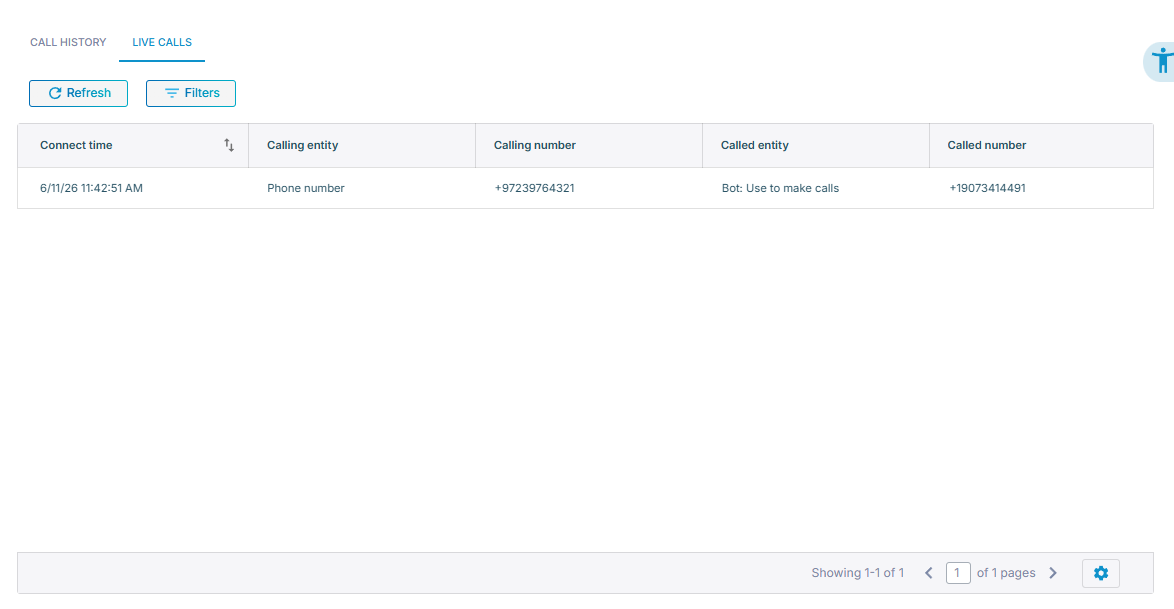
To view live calls:
-
In the Navigation pane, select Calls.
-
Select the Live calls tab.
The table lists the connect time and both ends of each call: 'Calling entity', 'Calling number', 'Called entity', and 'Called number'. Click Filters to narrow the table the same way as in call history, or click Refresh to reload it immediately rather than waiting for the next automatic refresh.
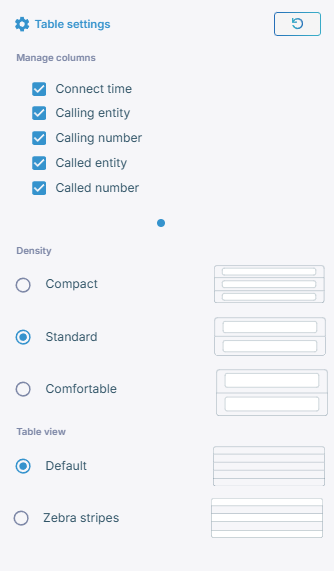
The settings icon at the bottom right controls which columns are shown, the row density, and whether rows are striped.
View a call in progress
Select a row in the table to open the details of that call.
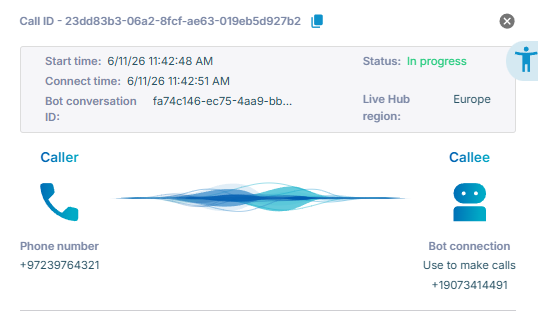
The pane shows the call ID, its start time and duration so far, its services, and the two ends of the call with the voice quality between them. This is the same summary as in call history.
The transcript, the recording, the SIP ladder, the full call details, the metrics, and the actions on the call record become available only once the call is over, and then appear in call history.
A call can end between one refresh of the table and the moment you select it. Live Hub then reports that the call is no longer in Live calls and offers a link to the Call history tab, where you can find it.